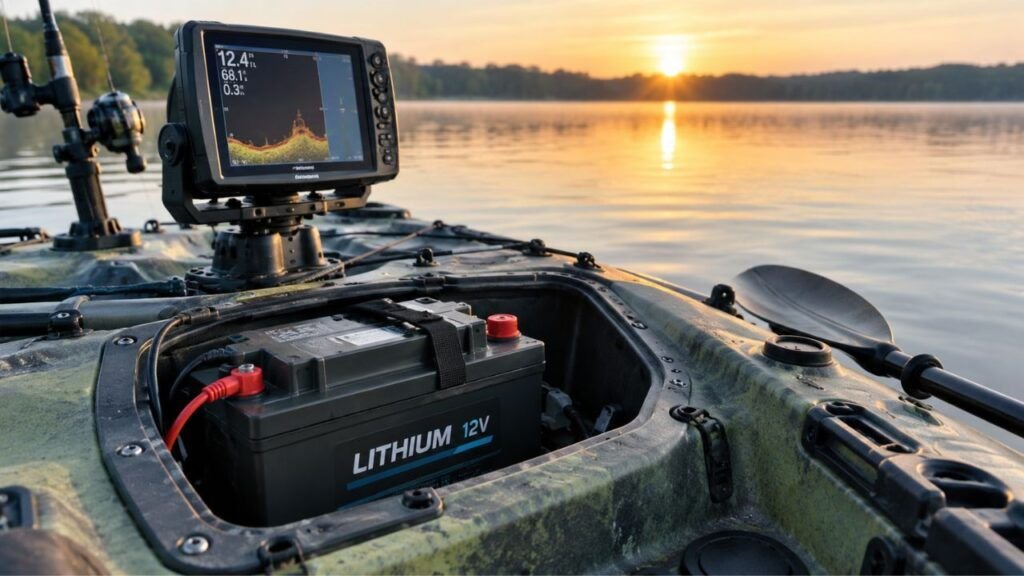
Yes, a kayak lithium battery can usually stay connected between frequent fishing trips. However, connected accessories may still draw power while the kayak sits. Using a master disconnect switch or unplugging the battery helps prevent unwanted drain.
The best choice depends on how long the kayak sits unused. I’ll explain short-term connection, parasitic drain, storage, charging, weather exposure, and when disconnecting makes more sense.
Key Takeaways
- You usually do not need to remove the battery after every trip.
- A physically connected battery can still be electrically isolated.
- Fish finders and accessories may create small parasitic drains.
- A master battery switch makes between-trip storage much easier.
- Disconnecting becomes more important during extended storage.
- Saltwater and moisture make exposed connections more vulnerable.
- Do not assume every LiFePO4 battery has identical storage requirements.
- Follow your battery manufacturer’s storage charge and temperature limits.
Can You Leave a Kayak Lithium Battery Connected Between Trips?
Yes, you usually can if another fishing trip is coming soon. The important question is whether anything remains electrically powered while parked.
| Situation | Leave It Connected? | Best Approach |
| Fishing again in a few days | Usually yes | Turn everything off or isolate the battery |
| Fishing next weekend | Usually yes | Check for standby or parasitic loads |
| Kayak sitting several weeks | Better to disconnect | Isolate accessories from the battery |
| Storage for a month or longer | Disconnect recommended | Follow battery storage instructions |
| Battery has sleep mode | Usually possible | Activate the approved storage mode |
| Kayak stored outdoors | More caution needed | Protect or remove the battery |
| Saltwater fishing | More caution needed | Dry and protect all connections |
| Winter storage | Depends on battery | Follow temperature and charging limits |
I would not treat one or two weeks as a strict safety limit.
Two kayaks can have completely different electrical systems. One may have only a simple fish finder. Another may have USB ports, lights, Bluetooth monitoring, and a trolling motor.
Those extra devices change how long a connected battery can comfortably sit.
What Does Leaving the Battery Connected Actually Mean?
People often use “connected” to describe several different situations. Those situations do not have the same effect on your battery.
Connected to a Fish Finder or Accessories
The battery may remain physically wired to your fish finder. That does not necessarily mean the fish finder is drawing significant power.
If a proper master switch completely isolates the circuit, leaving the cables attached is usually convenient.
You can then turn one switch before your next trip.
Connected Directly to a Trolling Motor
A trolling motor uses considerably more current than a fish finder.
Even though the motor should draw nothing while properly switched off, I prefer isolating its battery when the kayak sits unattended.
It reduces the chance of an accidental electrical problem or unwanted activation.
Connected to a Battery Charger
Leaving your battery attached to kayak wiring is one question. Leaving it connected to a charger is another.
Do not assume a charger should remain attached simply because the battery has a BMS.
Use a charger intended for your battery chemistry. Follow its instructions regarding long-term connection.
Connected but in Battery-Off or Sleep Mode
Some lithium batteries have physical power buttons or electronic sleep modes.
These features may shut down output at the terminals. The wiring can remain physically attached while accessories receive no power.
That can be a very convenient setup for regular kayak anglers.
However, check exactly what your particular battery’s sleep mode disables.
Why Can a Lithium Battery Drain While Everything Looks Off?
A lithium battery has a low natural self-discharge rate. The bigger concern on a rigged fishing kayak is often equipment connected around it.
Parasitic or Phantom Draw
Parasitic draw means something continues consuming electricity after you think everything is off.
The amount may look insignificant.
But that small load operates 24 hours every day. It can eventually remove a noticeable amount of capacity.
Battery BMS and Bluetooth Monitoring
A lithium battery’s Battery Management System monitors important battery conditions.
Smart batteries may also contain Bluetooth electronics. These systems can consume a small amount of energy themselves.
Normally, that consumption is relatively small.
However, it becomes more relevant during longer storage periods.
USB Ports and Voltage Displays
USB charging outlets are easy to overlook.
Some illuminated switches, voltmeters, control panels, or converters remain active whenever connected directly to the battery.
You may see a tiny display glowing after everything else stops.
That is a clear clue that something still receives power.
Fish Finder and GPS Electronics
Pressing the power button on an electronic device does not always guarantee complete electrical isolation.
Some devices may retain standby functions or memory circuits.
The safest approach is a physical disconnect when you want guaranteed isolation.
How Much Can a Small Parasitic Draw Matter?
Tiny electrical loads become more important on compact kayak batteries. A 10Ah electronics battery has much less reserve than a large boat battery.
You can estimate continuous battery use with this simple formula:
Daily battery use in Ah = standby current × 24 hours
Suppose connected accessories consume 0.05 amps while the kayak sits.
That becomes:
0.05 amps × 24 hours = 1.2Ah per day
On a 10Ah battery, that theoretical draw represents about 12% of its rated capacity each day.
The actual result can differ because batteries and electronics behave differently. Still, the example shows why tiny continuous loads matter.
This is also why I prefer isolation over guessing.
If nothing needs power between trips, there is little benefit in keeping those circuits energized.
When Is It Fine to Leave the Battery Connected?
Leaving your lithium battery installed can be perfectly practical between frequent trips.
I would be comfortable doing so when all these conditions apply:
The battery is securely mounted inside a protected enclosure.
Your electrical connections remain clean and dry.
The fish finder, trolling motor, and accessories are properly switched off.
A master disconnect isolates any equipment with standby consumption.
The storage temperature remains within the battery’s permitted range.
You also check the battery level before heading back onto the water.
In that situation, removing the battery after every Saturday fishing trip would add unnecessary work.
The key is making sure “off” really means electrically isolated.
When Should You Disconnect Your Kayak Lithium Battery?
There are several situations where disconnecting becomes the smarter choice.
- The kayak will sit unused for several weeks.
- Battery charge drops noticeably between fishing trips.
- USB outlets remain powered when the kayak is parked.
- A Bluetooth accessory stays active continuously.
- You cannot identify what the master switch disconnects.
- The kayak will remain outdoors in very hot conditions.
- The battery compartment stays damp after fishing.
- Saltwater regularly reaches electrical connectors.
- You are storing the kayak for the winter.
- The battery manufacturer specifically recommends disconnection.
- You notice damaged cables, loose terminals, or corrosion.
Disconnecting also makes troubleshooting easier.
If the battery retains charge when disconnected but drains while installed, something on the kayak is probably consuming power.
Fish Finder Battery vs Trolling Motor Battery: Does It Change the Answer?
The basic principle stays the same, but battery size and connected loads change how quickly problems appear.
Fish Finder Battery
Many kayak anglers use relatively small lithium batteries for sonar and GPS electronics.
Because the capacity is smaller, even a modest standby load can become noticeable fairly quickly.
A small battery therefore benefits greatly from a true disconnect switch.
Trolling Motor Battery
A trolling motor battery generally has much more capacity.
A tiny parasitic load may take longer to noticeably affect its state of charge.
However, trolling motor circuits handle much higher currents during operation.
I would still isolate that circuit when the kayak is stored.
One Battery Running Everything
Modern fishing kayaks sometimes use one battery for several systems.
You might have a fish finder, trolling motor, lights, USB outlets, live sonar, and other electronics.
Now you have several possible paths for unwanted current.
A central battery switch or properly designed distribution system becomes especially useful.
Is Turning the Fish Finder Off Enough?
Sometimes it is, but I would not automatically assume so.
There are several different ways to stop electrical power:
Device power button: Turns the fish finder itself off.
Accessory switch: Interrupts power to one branch of your electrical system.
Master battery switch: Isolates most or all connected equipment.
Quick-disconnect connector: Physically separates the battery from the wiring.
Battery sleep mode: Electronically disables output on compatible batteries.
For dependable between-trip storage, a master switch or physical disconnect gives you more certainty.
You do not have to wonder whether a hidden standby circuit remains active.
Master Battery Switch vs Unplugging the Battery
Both approaches can work well. Your fishing frequency and kayak setup determine which is more convenient.
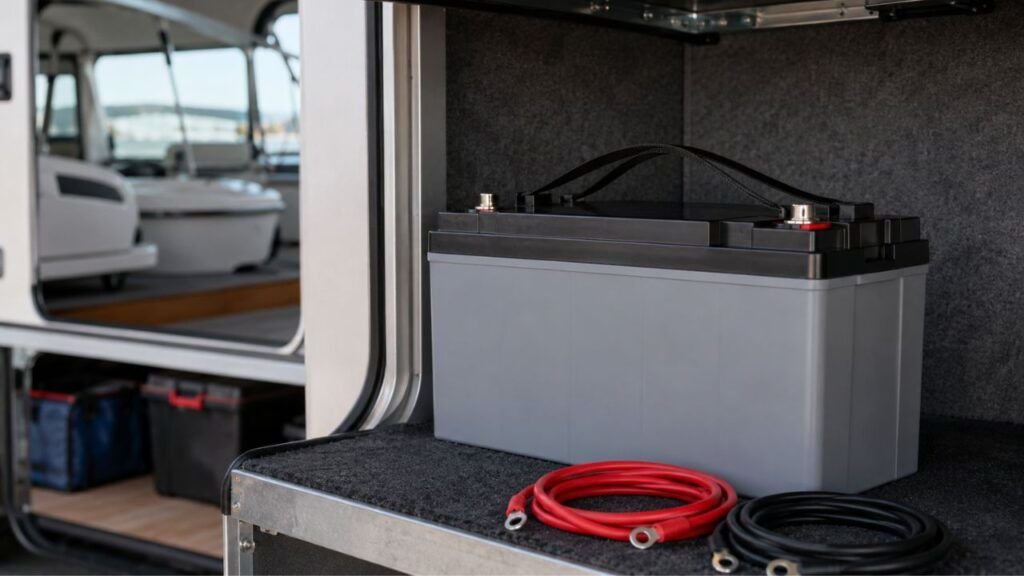
Using a Master Battery Disconnect
A properly installed master disconnect is excellent for anglers who fish frequently.
Finish fishing, dry the kayak, turn the master switch off, and you are finished.
The battery can stay mounted without supplying connected equipment.
This also reduces repeated wear on battery connectors.
Make sure the switch actually disconnects every circuit you intend to isolate.
Using a Quick-Disconnect Connector
Quick-disconnect plugs are popular on fishing kayaks for good reason.
They allow you to separate the battery without removing individual terminal hardware.
This works especially well when the battery comes indoors for charging.
Use connectors suitable for the expected current and marine environment.
Removing the Battery Completely
Battery removal makes more sense during extended storage.
I would also consider removal when the kayak stays outdoors.
The same applies when the battery compartment experiences severe heat or regular water intrusion.
Removing it lets you store the battery somewhere cleaner and more stable.
Should You Disconnect a Kayak Battery After Saltwater Fishing?
You do not always need to disconnect it immediately. However, saltwater makes good electrical maintenance much more important.
Salt residue can remain around connectors after the water evaporates.
That residue attracts moisture and encourages corrosion.
Over time, corrosion creates resistance and unreliable electrical connections.
After saltwater fishing, inspect the battery compartment and connectors carefully.
Dry any damp areas before putting the kayak away.
Protect exposed plugs using suitable caps or covers.
If water regularly reaches the electrical system, disconnecting the battery after every trip becomes a sensible routine.
I would rather spend a few minutes drying connections than troubleshoot intermittent sonar problems later.
Should You Leave the Lithium Battery Inside the Kayak?
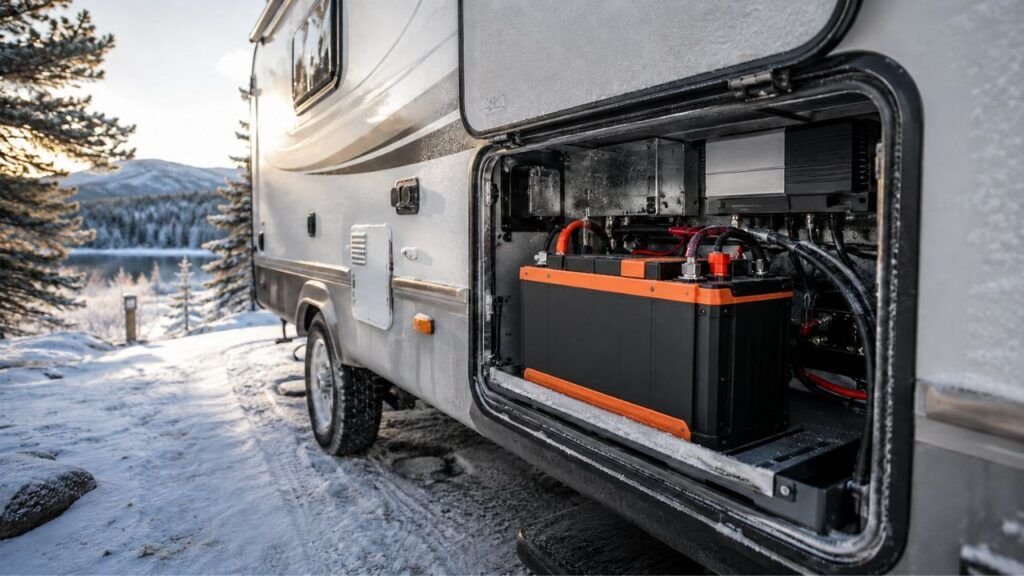
You can leave it installed in many situations. Storage location matters almost as much as electrical connection.
Kayak Stored in a Garage
A dry garage often provides an easy storage environment.
The battery can usually remain secured inside the kayak if temperatures stay within its permitted storage range.
Turn the master disconnect off before leaving it.
Check the battery occasionally during longer periods of inactivity.
Kayak Stored Outdoors
Outdoor storage adds more variables.
The kayak experiences larger temperature swings, humidity, condensation, sunlight, and possible rain intrusion.
Even a covered kayak can develop moisture inside compartments.
For extended outdoor storage, I prefer removing the battery when practical.
Battery Inside a Hot Vehicle or Trailer
Avoid leaving lithium batteries exposed to unnecessarily high temperatures.
Closed vehicles and trailers can become extremely hot during summer.
Heat can accelerate battery aging and stress electronics.
Move the battery to a more temperature-stable location when possible.
Winter Storage
Cold weather requires an important distinction.
Storing a lithium battery in cold conditions is different from charging it in cold conditions.
Many LiFePO4 batteries tolerate lower storage temperatures than charging temperatures.
Some include low-temperature charging protection. Others use internal heaters.
Do not assume your battery works exactly like another brand.
Check the manufacturer’s permitted storage and charging temperature ranges.
Should You Charge the Battery After Every Fishing Trip?
You do not necessarily need to recharge a LiFePO4 battery after every short outing.
Lithium batteries work well with partial charge cycles.
Suppose you finish fishing with plenty of capacity remaining. You may simply recharge closer to your next trip.
However, avoid leaving the battery deeply discharged for long periods.
I recommend checking the state of charge when you return home.
Recharge when necessary using the correct lithium-compatible charger.
This also gives you a chance to notice abnormal battery drain.
If the battery was nearly full last weekend but unexpectedly low today, investigate before launching again.
Can You Leave the Lithium Charger Connected Between Fishing Trips?
Sometimes a compatible smart charger can remain connected for a short period. That does not mean every charger should stay connected indefinitely.
For a Few Days
A correctly matched lithium charger should stop its normal charging process appropriately.
Some systems are specifically designed for extended connection.
Follow the charger and battery instructions rather than assuming.
For Weeks or Months
Long-term storage is different.
There is usually little reason to keep a LiFePO4 battery continuously held at full charge unless the manufacturer specifically calls for that setup.
Disconnecting the charger also removes another powered device from an unattended system.
Avoid Traditional Trickle-Charging Assumptions
Lead-acid batteries were often kept on maintenance chargers during storage.
LiFePO4 batteries do not automatically require the same routine.
Do not put a lithium battery on an old trickle charger simply because you used it for another battery.
Use charging equipment approved for your battery.
How Should You Store a Kayak Lithium Battery for a Month or Longer?
Longer storage deserves a different approach than parking your kayak between two weekends.
Disconnect Electrical Loads
Start by isolating the battery from fish finders, motors, lights, USB outlets, and other accessories.
You can use a master switch if it provides complete isolation.
Otherwise, physically disconnect the battery.
This prevents external equipment from slowly draining it.
Follow the Recommended Storage Charge
You may see recommendations telling every LiFePO4 owner to store batteries at exactly 50%.
I would not use one percentage for every battery.
Manufacturers publish different storage recommendations depending on their cells, BMS design, and intended application.
Some recommend approximately half charge. Others permit or recommend a wider range.
Follow your battery’s manual first.
That is more reliable than applying a generic percentage from another brand.
Keep the Battery Cool and Dry
Choose a dry location without extreme temperature swings.
Avoid direct sunlight and locations that become excessively hot.
Keep conductive fishing equipment away from exposed battery terminals.
Protect the battery from water even when its case has a water-resistance rating.
Check It During Seasonal Storage
Do not put the battery away for months and completely forget about it.
Check its charge level occasionally according to manufacturer guidance.
A stored battery should not unexpectedly approach a deeply discharged condition.
If it loses charge much faster than expected while disconnected, investigate the battery itself.
How to Check Whether Your Kayak Has a Parasitic Drain
You can identify many standby-drain problems without immediately taking the wiring apart.
- Fully charge or accurately check the battery.
- Turn every kayak accessory off.
- Set your master switch as you normally would.
- Record the battery’s state of charge.
- Leave the kayak unused for a controlled period.
- Check the state of charge again.
- Compare the change with normal battery self-discharge.
- Isolate accessory circuits if the drop seems excessive.
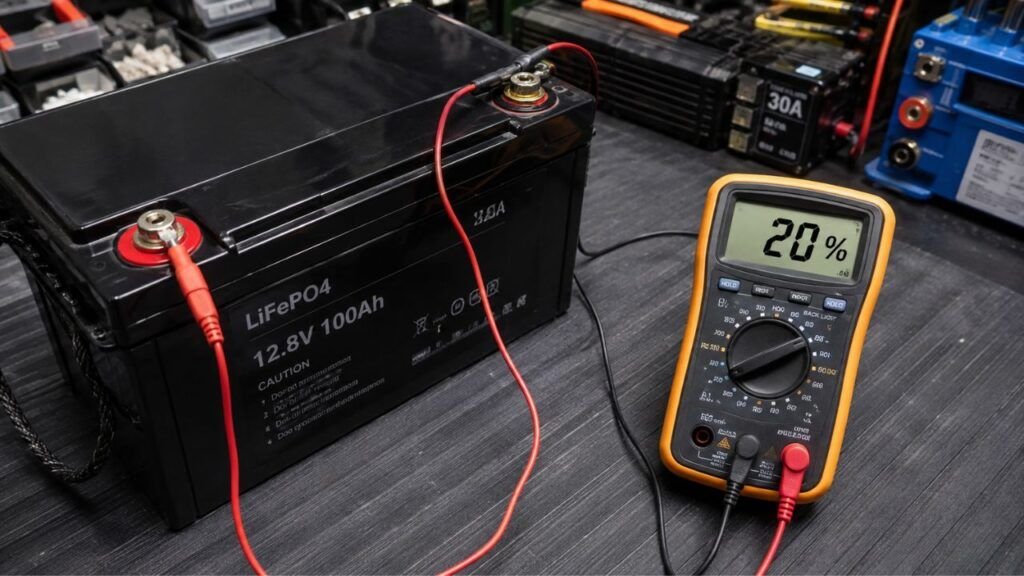
A Bluetooth battery monitor makes this test convenient.
For more accurate troubleshooting, current can also be measured using suitable electrical test equipment.
Do not place a basic multimeter incorrectly across a high-current battery circuit.
If electrical testing is unfamiliar, have the system checked professionally.
A Simple Between-Trip Routine for Kayak Anglers
You do not need an elaborate battery routine after every fishing day. A consistent few-minute check is usually enough.
- Turn off the trolling motor and fish finder.
- Switch off lights, USB outlets, and other accessories.
- Check the battery compartment for water.
- Dry wet plugs, connectors, and nearby surfaces.
- Check the battery’s remaining state of charge.
- Recharge it when necessary with the proper charger.
- Disconnect the charger after charging when appropriate.
- Turn your master battery switch off.
- Disconnect the battery if extended storage is expected.
- Check charge again before your next fishing trip.
This routine also helps you spot problems early.
Corrosion, unexpected discharge, or damaged wiring becomes easier to notice before your next launch.
Common Mistakes to Avoid Between Fishing Trips
Most between-trip battery problems come from simple oversights rather than lithium chemistry itself.
- Assuming a device’s power button guarantees zero current draw.
- Leaving USB charging outlets continuously energized.
- Forgetting small voltage displays and accessory modules.
- Leaving wet saltwater connectors unprotected.
- Storing the battery nearly empty for a long period.
- Using a charger not suited to the battery.
- Charging below the permitted charging temperature.
- Assuming the BMS eliminates every possible battery problem.
- Leaving exposed positive terminals near metal fishing equipment.
- Assuming one manufacturer’s storage recommendation applies to every battery.
- Forgetting to verify what the master disconnect actually isolates.
A little attention after each trip prevents most of these issues.
Final Verdict
Yes, a kayak lithium battery can stay connected between fishing trips, especially when you fish regularly and the electrical system is properly isolated.
You usually do not need to remove the battery every weekend.
However, I recommend turning off a true master disconnect or using a quick disconnect whenever the kayak sits. That prevents accessories from creating unnecessary parasitic drain.
For storage lasting several weeks or longer, disconnect external loads and follow your battery manufacturer’s storage instructions.
Saltwater anglers should pay extra attention to moisture and corrosion.
The most useful rule is simple: the battery can stay installed, but there is usually no benefit to leaving the kayak’s electrical system energized while you are not using it.
Related FAQs
Should I Disconnect My Fish Finder Battery After Every Trip?
You do not need to disconnect it after every trip if a proper master switch fully isolates the battery. Disconnecting is still helpful when the kayak will sit unused for several weeks or has accessories that draw standby power.
Can a Fish Finder Drain the Battery When Turned Off?
It can in some installations. The fish finder itself may consume little or no meaningful power while off, but connected switches, converters, displays, USB outlets, or other electronics can create parasitic drain.
Can I Leave a Lithium Battery in My Kayak Overnight?
Yes, you can usually leave a lithium battery securely installed overnight. Turn all electrical loads off, keep the battery compartment dry, and protect the system from extreme temperatures or accidental short circuits.
Can I Leave My Kayak Lithium Battery Connected for a Week?
Usually, yes. A week is generally manageable when every accessory is truly off and the battery remains properly protected. Using a master disconnect provides better protection against unnoticed standby loads.
Should I Remove My Kayak Battery for Winter?
Removing it is often the easiest option for long winter storage. Store the battery according to its manufacturer’s temperature and state-of-charge recommendations, and never charge it below its permitted charging temperature.
Can I Leave a Lithium Battery Connected to a Trolling Motor?
You can leave the wiring physically connected, but isolating the battery is preferable while the kayak sits. A suitable battery disconnect or trolling-motor plug makes this easy without removing the battery.
Should I Charge My Kayak Lithium Battery After Every Use?
Not necessarily. LiFePO4 batteries handle partial charge cycles well. Check the remaining charge after fishing and recharge when needed, especially before longer storage or your next extended trip.
Does a Lithium Battery Need a Trickle Charger During Storage?
Usually not in the traditional lead-acid sense. LiFePO4 batteries have relatively low self-discharge, and storage procedures vary by manufacturer. Use only charging equipment and storage practices approved for your specific battery.
Can I Store a LiFePO4 Battery at 100% Charge?
Some manufacturers allow it, while others recommend a lower state of charge for extended storage. There is no single percentage that applies to every LiFePO4 battery, so follow your manufacturer’s instructions.
Can a Lithium Battery Stay in an Unheated Garage?
Often, yes, provided temperatures stay inside the battery’s permitted storage range. Remember that a battery may tolerate cold storage at temperatures where charging would not be allowed.
Is a Master Battery Switch Enough for Kayak Storage?
A properly installed switch can be enough for routine between-trip storage if it truly isolates every unwanted load. Verify that accessories wired directly to the battery do not bypass the switch.
Does Bluetooth Drain a Lithium Battery While It Is Stored?
Bluetooth-enabled monitoring systems can use a small amount of battery power. The draw is usually modest, but it becomes more relevant over extended storage periods, particularly with smaller kayak batteries.

Ryan Carter writes practical battery guides focused on troubleshooting, everyday use, and smarter buying decisions. His experience with lithium batteries, RV and automotive power, and home backup systems helps readers choose reliable solutions with confidence.