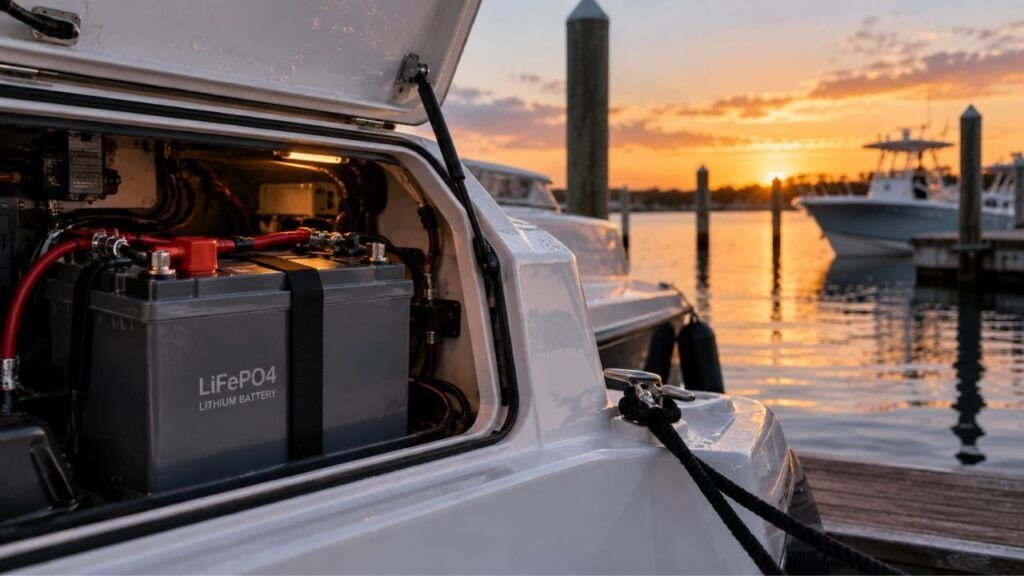
A boat lithium battery usually loses charge while docked because something still draws power. Automatic bilge pumps, monitoring systems, electronics in standby, chargers, and direct-wired accessories can consume energy even when the boat seems turned off. Natural lithium battery self-discharge is normally much slower.
If your battery percentage keeps dropping at the dock, I’ll help you narrow down the cause. We’ll cover normal discharge, hidden electrical loads, shore-power problems, bilge pump activity, and practical ways to stop unnecessary battery drain.
Key Takeaways
- Dockside battery drain usually comes from connected electrical loads.
- Natural LiFePO4 self-discharge is relatively slow during normal storage.
- Automatic bilge pumps may stay powered with the master switch off.
- Fish finders, networks, monitors, and chargers can create standby loads.
- Shore power does not guarantee your lithium battery is charging.
- A battery monitor can make hidden current draw easier to identify.
- Avoid disabling an automatic bilge pump on an unattended in-water boat.
Why Can a Boat Lithium Battery Lose Charge When Everything Is Off?
Your boat may look completely shut down while several circuits remain powered. That difference is important because not every battery loss comes from the lithium cells themselves.
Natural self-discharge happens inside the battery while it sits unused. LiFePO4 batteries generally have relatively low self-discharge compared with many traditional batteries.
Then there is the small amount of power used internally. A Battery Management System, or BMS, monitors voltage, current, temperature, and other operating conditions. Bluetooth-equipped batteries may also power communication electronics.
The bigger concern is usually equipment connected outside the battery. Bilge pumps, alarms, chargers, networking equipment, monitors, and other devices may continue drawing power.
That means a noticeable percentage drop over several days deserves investigation. I would not automatically blame normal lithium self-discharge.
First Identify Which Lithium Battery Is Losing Charge
Before tracing wires or checking switches, identify the affected battery bank. Different batteries usually power different equipment, so this immediately narrows your search.
Starting Battery
A starting battery primarily supports engine cranking and related systems. Depending on the boat, it may also supply engine electronics, alarms, relays, or directly connected equipment.
If your lithium starting battery drains while docked, check which circuits remain connected. Also verify that the battery is designed for engine-starting applications.
Not every deep-cycle lithium battery should be used for cranking.
House Battery Bank
The house bank usually has the greatest chance of dockside drain. It may support refrigeration, electronics, lighting, pumps, USB outlets, networking equipment, and other accessories.
Some of these devices consume power even when their screens are dark.
An inverter can also use energy while waiting in standby mode. Individually, these loads may look small. Together, they can become significant.
Trolling Motor Battery
A dedicated trolling motor bank often has fewer dockside loads. Therefore, unexpected discharge can be easier to diagnose.
Check whether the trolling motor remains electrically connected. Also inspect the onboard charger, BMS monitoring system, and added accessories.
If nothing else uses that bank, substantial dockside discharge needs attention.
The Most Common Reasons a Boat Lithium Battery Drains While Docked
Several causes can produce the same symptom: a lower battery percentage when you return. Knowing what usually stays powered helps you troubleshoot efficiently.
The Automatic Bilge Pump Is Cycling
The bilge pump is one of the first things I would check.
Many boats keep the automatic bilge circuit powered even when the main battery switch is off. This arrangement allows the pump to remove unwanted water while nobody is aboard.
The pump may cycle because of:
- Rainwater entering the bilge
- A slow plumbing or hull leak
- A sticking float switch
- Debris around the float
- Water flowing backward after pumping
- An incorrectly positioned pump
- Unusually frequent pump activation
This is not necessarily a faulty parasitic load. The pump may simply be doing its job.
However, frequent cycling can consume substantial battery capacity over several days.
If your docked boat suddenly starts losing more charge, inspect the bilge. Finding unexpected water is more important than simply stopping the pump.
Electronics Are Still Drawing Standby Power
Turning off an electronic device does not always disconnect its power completely.
Some equipment remains partially active for memory, networking, sensors, remote control, or faster startup.
Possible loads include:
- Fish finders
- Chartplotters
- GPS equipment
- NMEA network devices
- VHF equipment
- Stereo memory circuits
- Wi-Fi equipment
- Cellular equipment
- USB charging ports
- LED controllers
- Security systems
- Battery monitors
- Inverters
A few milliamps may not matter during one afternoon.
Leave the boat docked for several weeks, though, and those small loads add together.
The Battery Switch Does Not Disconnect Everything
This catches many boat owners by surprise.
Moving the master battery switch to OFF usually disconnects specific circuits. It does not necessarily remove every connection attached to your battery.
Certain systems may intentionally bypass the switch.
The automatic bilge pump is a common example. Battery monitors, alarms, stereo memory circuits, chargers, or aftermarket electronics may also connect directly.
Previous owners can make this problem harder to identify.
Someone may have added equipment directly to the battery years ago. The circuit can remain active regardless of your main switch position.
So when your battery drains with the switch off, inspect direct connections.
The Lithium Battery’s BMS and Bluetooth System Use Some Power
A lithium battery’s BMS is an electronic system, so it consumes some energy.
The BMS helps protect the battery against conditions such as:
- Overcharging
- Excessive discharge
- High current
- Excessive temperature
- Low charging temperatures
- Cell imbalance
Bluetooth-equipped batteries may also maintain wireless monitoring functions.
However, BMS power consumption varies considerably between battery designs. Some systems also enter lower-power sleep modes.
Because of that, don’t assume the BMS explains a large discharge.
If a 100Ah battery loses substantial capacity within several days, investigate external loads first.
The Battery Was Not Fully Recharged Before Docking
Sometimes the battery is not actually draining as much as it appears.
Imagine leaving the dock believing your battery reached 100%. In reality, it may have stopped charging at 80% or 90%.
The next time you check it, the lower reading looks like mysterious dockside drain.
Incomplete charging can happen because of:
- Short engine runtime
- Incorrect charger settings
- Charger faults
- Insufficient solar charging
- Charger temperature protection
- BMS charging protection
- Poor connections
- Incorrect monitor calibration
Lithium batteries also have a relatively flat voltage curve.
That means voltage alone is not always a reliable way to estimate exact state of charge.
A properly configured battery monitor or built-in battery app gives you better information.
Shore Power Is Connected but the Battery Is Not Charging
Seeing your shore-power cable plugged into the pedestal can create false confidence.
The cable being connected does not prove current reaches your battery.
Possible problems include:
- Dock pedestal power failure
- Tripped shore-power breaker
- Boat AC breaker turned off
- Onboard charger switched off
- Blown charger fuse
- Charger failure
- Wrong battery-bank connection
- Incorrect lithium charging profile
- BMS protection stopping charging
Your boat can therefore remain connected to shore power while slowly discharging.
Check the charger’s status indicators and battery monitor.
If you are uncomfortable troubleshooting AC shore-power systems, use a qualified marine electrician. Dockside AC systems involve hazards that should not be guessed around.
The Charger Cannot Keep Up With Dockside Loads
Sometimes the charger works perfectly but still doesn’t solve the problem.
Imagine your onboard charger supplies one amp to the battery. Meanwhile, your connected systems continuously consume two amps.
Your battery is still losing one amp overall.
This is called a net discharge.
The same thing can happen with small solar systems. A solar panel may generate power during sunny hours but still produce less energy than the boat consumes over an entire day.
Look at both sides of the equation:
Charging current coming in and electrical current going out.
That gives you a much clearer picture.
A Charger or Controller Is Creating Standby Drain
Your charging equipment itself may remain connected to the battery.
Depending on the equipment and installation, a charger, solar controller, regulator, relay, or monitoring device may consume some standby current.
Some systems can also allow small reverse currents under particular conditions.
Don’t immediately replace anything.
Instead, measure the battery’s resting current and isolate circuits systematically.
Loose, Corroded, Wet, or Damaged Wiring Is Causing Problems
Marine electrical systems operate in a difficult environment.
Moisture, salt, vibration, and temperature changes can gradually affect terminals, cables, fuse holders, and switches.
Corrosion usually creates resistance rather than simply “draining” electricity directly.
That increased resistance can cause:
- Voltage drops
- Charging problems
- Heat
- Intermittent connections
- Poor equipment performance
- Incorrect readings
Damaged insulation or moisture contamination can sometimes create unwanted electrical paths.
Inspect terminals carefully and keep connections clean, secure, and dry.
The Battery or BMS Has a Problem
Battery failure is possible, but I would investigate easier causes first.
Warning signs can include:
- Large SOC loss while completely isolated
- Frequent unexplained BMS shutdowns
- Unusual battery temperature
- Cell imbalance warnings
- Failure to accept a normal charge
- Failure to hold a verified charge
- Swelling or physical damage
Never open a sealed lithium battery yourself.
If the battery remains suspicious after external loads are eliminated, contact its manufacturer.
How Much Lithium Battery Drain While Docked Is Normal?
Small currents become surprisingly large when they continue around the clock. This table shows why even modest standby loads deserve attention.
| Continuous Current Draw | Used Per Day | Used in 30 Days | Effect on a 100Ah Battery |
| 10 mA | 0.24 Ah | 7.2 Ah | Small but noticeable during long storage |
| 25 mA | 0.60 Ah | 18 Ah | Can noticeably reduce charge within one month |
| 50 mA | 1.20 Ah | 36 Ah | Significant long-term dockside drain |
| 100 mA | 2.40 Ah | 72 Ah | Can heavily discharge the battery within weeks |
| 500 mA | 12 Ah | 360 Ah* | Battery would discharge much sooner |
*A 100Ah battery would reach its usable discharge limit long before 30 days.
This is why continuous current matters more than it first appears.
For example, a 50mA load sounds almost insignificant. Yet it can consume around 36Ah over 30 days.
Natural LiFePO4 self-discharge is normally much smaller than that.
So if your battery drops dramatically within one week, start looking for connected loads or charging problems.
How to Find What Is Draining Your Boat Lithium Battery
The easiest approach is to stop guessing and narrow things down systematically. Start with a known battery charge, then identify exactly where current flows.
Step 1: Verify the Battery’s Actual State of Charge
Fully charge the battery using equipment approved for your battery.
Then record its state of charge.
You can use:
- A built-in battery app
- A Bluetooth BMS app
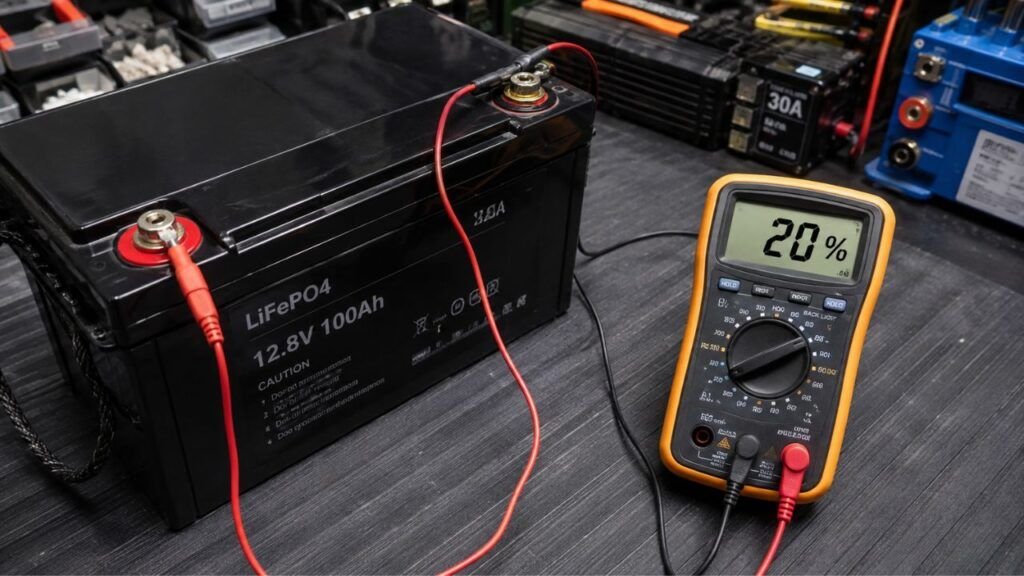
- A properly configured shunt monitor
Try not to diagnose the problem using battery voltage alone.
Because LiFePO4 voltage stays relatively steady through much of its discharge cycle, small voltage changes can represent meaningful capacity changes.
Step 2: Turn Off All Nonessential Equipment
Switch off everything you don’t need while the boat sits.
That may include:
- Cabin lights
- Electronics
- Stereo
- Inverter
- USB circuits
- Trolling motor
- Accessories
- Nonessential pumps
Do not casually disable safety equipment.
For an unattended boat sitting in the water, your automatic bilge system may need to remain operational.
Step 3: Check for Current Leaving the Battery
A shunt-based battery monitor makes this job much easier.
With unnecessary equipment turned off, look at the current reading.
Ideally, you should know which remaining systems account for that consumption.
If the monitor still shows unexplained current leaving the battery, something remains connected.
The higher the current, the faster your battery will discharge.
Step 4: Isolate Circuits One at a Time
Now start narrowing down the source.
A simple approach is:
- Record the existing current draw.
- Switch off one DC circuit.
- Watch the battery-monitor reading.
- Look for a noticeable current reduction.
- Restore the circuit if necessary.
- Move to the next circuit.
- Check direct battery connections separately.
Eventually, one circuit may produce a clear change.
That circuit gives you somewhere specific to investigate.
Avoid removing fuses randomly if you’re unsure what they protect.
Step 5: Check the Bilge Pump Separately
Don’t overlook the automatic bilge system.
Check:
- Bilge water level
- Float-switch movement
- Pump operation
- Unexpected pump cycling
- Debris around the switch
- Water returning after pumping
- Pump counter readings, if available
A frequently running bilge pump can explain substantial battery consumption.
More importantly, it may reveal a water-entry problem requiring attention.
Step 6: Verify That the Dockside Charger Is Actually Charging
Look at the charger’s indicators or battery monitor.
You want evidence that charging current actually reaches the battery.
Then compare input against consumption.
For example, suppose your charger contributes three amps. Your boat’s equipment consumes only half an amp.
The battery receives a net charge.
But if equipment consumes four amps, the battery continues discharging despite the charger operating.
This comparison can quickly expose the real problem.
Step 7: Test the Battery With External Loads Isolated
If practical and safe, isolate external loads according to your boat and battery manufacturer’s instructions.
Record the battery SOC.
Then check it again after an appropriate period.
If substantial discharge continues while the battery is genuinely isolated, investigate the battery itself.
Possible areas include:
- BMS consumption
- Bluetooth module consumption
- Cell condition
- BMS faults
- Internal battery problems
Do not completely disconnect an unattended in-water boat if doing so disables its required bilge protection.
Why Does the Battery Still Drain With the Master Switch Off?
Your master battery switch usually controls selected circuits rather than every possible connection.
That means OFF can still leave some equipment powered.
Examples include an automatic bilge pump, high-water alarm, battery monitor, charger, stereo memory circuit, or direct-wired accessory.
Aftermarket installations deserve particular attention.
A previous owner might have installed an accessory directly onto the battery terminals. That device can ignore the master switch entirely.
Check the battery posts and bus bars for wires that bypass normal switched distribution.
Knowing what remains permanently energized helps you separate intentional loads from faults.
Can You Leave a Lithium Boat Battery Connected While Docked?
Yes, a lithium boat battery can usually remain connected while docked when the electrical system is designed for unattended operation.
Leaving the battery installed is not the same as leaving every accessory running.
Your goal should be to keep required equipment available while eliminating unnecessary loads.
For an in-water boat, that may mean keeping the automatic bilge pump powered while switching off entertainment systems, inverters, electronics, and unnecessary accessories.
Shore charging can also maintain the battery when properly configured.
Use a lithium-compatible charger and verify that it actually reaches the correct battery bank.
If you routinely leave your boat docked, a battery monitor becomes especially useful. You can understand what the boat consumes instead of relying on guesses.
Should You Disconnect a Boat Lithium Battery at the Dock?
The right approach depends heavily on where and how the boat is stored. A boat floating unattended has different requirements from one sitting dry on a trailer.
If the Boat Is Staying in the Water
I would not automatically disconnect the entire battery system.
An automatic bilge pump may need battery power to protect the boat.
Instead, isolate unnecessary equipment while maintaining required safety circuits.
Also check the boat periodically whenever possible.
A battery draining faster than expected may sometimes indicate increased bilge activity.
If the Boat Is on a Trailer or Out of the Water
More complete electrical isolation may make sense here.
With no requirement for automatic bilge protection, you may be able to turn off the master disconnect or isolate the battery more completely.
Still check whether alarms, tracking systems, or other equipment need power.
Follow your battery manufacturer’s recommendations.
If the Boat Will Sit for Weeks or Months
Long-term storage deserves a different strategy.
Reduce unnecessary parasitic loads and store the battery according to its manufacturer’s instructions.
Do not assume every LiFePO4 battery manufacturer recommends exactly the same storage percentage.
Battery design, BMS behavior, temperature limits, and storage recommendations can vary.
Periodically check the battery rather than forgetting about it for months.
How to Prevent a Lithium Boat Battery From Draining at the Dock
Small changes to your routine can prevent most unexplained dockside discharge.
- Turn off unnecessary electronics before leaving the boat.
- Use the master battery switch where appropriate.
- Keep required bilge-pump protection operational.
- Inspect the bilge pump and float switch regularly.
- Shut down unnecessary inverter standby mode.
- Turn off unused networked marine electronics.
- Check direct-to-battery accessory connections.
- Verify that shore charging actually reaches the battery.
- Use charging equipment suitable for LiFePO4 batteries.
- Install a shunt-based battery monitor when practical.
- Keep terminals and cables clean and secure.
- Inspect marine wiring for corrosion or moisture damage.
- Compare charging input against total dockside consumption.
- Follow manufacturer instructions during long-term storage.
The biggest improvement usually comes from knowing your normal standby draw.
Once you know that number, unusual battery loss becomes much easier to spot.
When Is Dockside Battery Drain a Sign of a Bigger Problem?
Some loss over a long period can be expected, but rapid unexplained discharge deserves attention.
Watch for problems such as:
- Large capacity loss within several days
- BMS low-voltage shutdown
- Repeated charger errors
- Unexpected battery heating
- Large SOC differences between monitoring systems
- Frequent unexplained BMS shutdowns
- Major discharge while the battery is isolated
- Swelling or visible battery damage
Don’t keep repeatedly recharging a battery without finding the cause.
If electrical troubleshooting does not identify the problem, contact the battery manufacturer or a qualified marine electrician.
A professional inspection is particularly worthwhile when you suspect damaged wiring, shore-power faults, or incorrect charging equipment.
Final Verdict
A boat lithium battery should not normally lose large amounts of charge simply because it is sitting at the dock. Natural LiFePO4 self-discharge is relatively slow, so noticeable short-term losses usually point toward an active electrical load or charging issue.
Start with the things that commonly remain powered. Check the automatic bilge pump, electronics in standby, direct-wired accessories, battery monitors, BMS features, and inverter standby operation.
Then verify your charging system.
Remember that being connected to shore power does not automatically mean your battery is receiving enough current.
Most importantly, don’t solve the problem by blindly disconnecting everything.
If your boat stays unattended in the water, the automatic bilge pump may need continuous battery power. Isolate unnecessary loads, protect essential systems, and identify the actual source of the drain.
Related FAQs
Is It Normal for a Lithium Boat Battery to Lose Charge While Sitting?
Yes, a small amount of charge loss can occur because of battery self-discharge, BMS consumption, and connected electronics. However, substantial loss within several days usually suggests an active load or charging problem.
How Much Charge Should a LiFePO4 Boat Battery Lose Per Month?
LiFePO4 batteries generally have low natural self-discharge, often only a few percent per month under suitable storage conditions. Exact rates depend on battery design, temperature, BMS operation, Bluetooth features, and manufacturer specifications.
Can a Bilge Pump Drain a Lithium Boat Battery?
Yes. An automatic bilge pump can significantly drain a battery if it runs frequently. Rainwater, leaks, float-switch problems, debris, or water backflow can cause repeated cycling while the boat sits unattended.
Why Does My Boat Battery Drain Even With the Battery Switch Off?
Some circuits may bypass the main battery switch. Automatic bilge pumps, alarms, battery monitors, chargers, stereo memory circuits, and aftermarket accessories can remain connected directly to the battery.
Does a Lithium Battery BMS Drain the Battery When Not in Use?
Yes, a BMS can consume a small amount of energy while monitoring and protecting the battery. The exact amount varies between battery models, and large short-term losses should not automatically be blamed on the BMS.
Should I Disconnect My Lithium Battery When My Boat Is Docked?
Not necessarily. If the boat remains in the water, complete disconnection could disable an automatic bilge pump or other required equipment. Instead, isolate unnecessary circuits while maintaining important safety systems.
Can I Leave a Lithium Boat Battery on a Charger at the Dock?
You generally can when using a properly configured lithium-compatible charger approved for your battery. Check the manufacturer’s instructions and verify that the charger operates correctly rather than assuming shore power automatically keeps the battery charged.
Why Is My Boat Battery Draining Even Though Shore Power Is Connected?
The onboard charger may be off, malfunctioning, connected incorrectly, or producing less current than the boat consumes. Check charger status and compare charging current with the total load leaving the battery.
How Can I Find a Parasitic Draw on My Boat?
Start with a fully charged battery and turn off unnecessary circuits. Use a shunt monitor or appropriate electrical testing method to watch current flow, then isolate circuits individually until the unexpected current draw disappears.
Can a Fish Finder Drain a Boat Battery When Turned Off?
It can if the unit, network module, or related equipment continues receiving standby power. Completely switching off or isolating the circuit can help determine whether the fish finder system contributes to dockside battery drain.

Ryan Carter writes practical battery guides focused on troubleshooting, everyday use, and smarter buying decisions. His experience with lithium batteries, RV and automotive power, and home backup systems helps readers choose reliable solutions with confidence.